The Pmt. Proposal Card
After you have created a payment proposal, the associated payment proposal data is available in the form of payment proposal cards. One payment proposal card can be opened per payment proposal header of a payment proposal.
The General tab (header area)
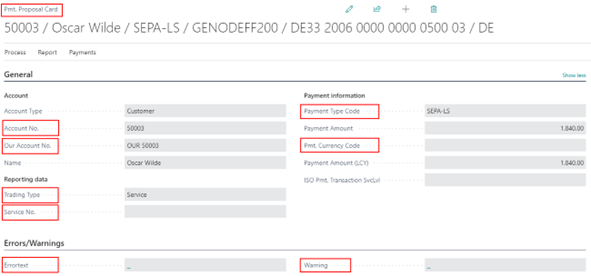
On the General tab, certain field contents of the customer or vendor card are displayed. In addition, among other things, the resulting payment amount of the payment card is displayed on the basis of the data records marked for payment at line level.
The following field contents are displayed in the General tab and can be partially changed:
Bank Account and SEPA tab (header area)
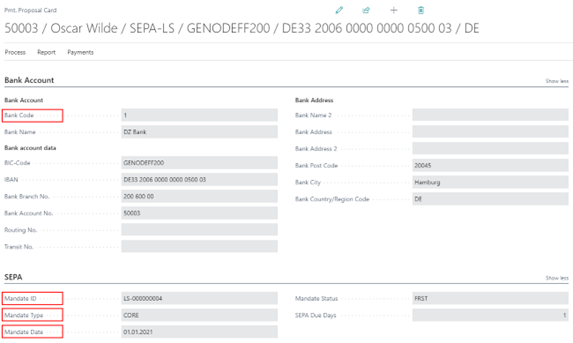
On the Bank Account tab, the information from the entered customer/vendor bank account is used and displayed when creating the payment proposal.
The following field contents are displayed in the Bank/SEPA tab and can be partially changed:
Purpose tab (header area)
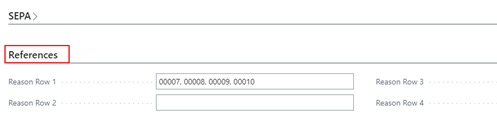
The purpose of use is filled based on the settings in the payment export setup or the setup on the payment types in combination with the payment methods.
The payment purposes are automatically updated by the system in the payment proposal cards when you remove or add clearings in the payment proposal lines. For SEPA payment type English abbreviations are used, for CHECK payment type only the word CHECK is displayed on this tab.
Address and Contact (factbox area)
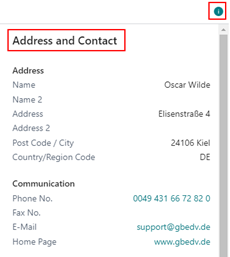
In the info box area that can be displayed on the payment proposal card, the data stored on the customer or vendor card is transferred to you, among other things.
Orderer Bank (factbox area)
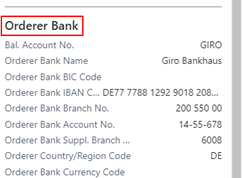
In the fact box area that can be displayed on the payment proposal card, you will be shown the bank details that will be entered as the orderer bank details when the payment file is created.
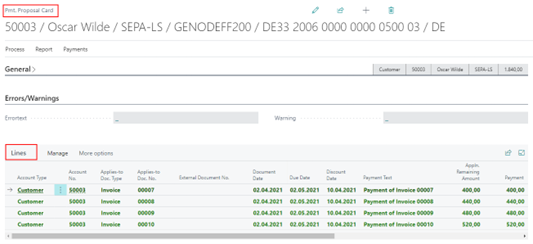
Lines
The payment proposal lines contain basically the same fields as the Ext. Application of the OPplus payment import module.
The lines that make up the payment amount in the header of the payment proposal card are marked in green.
Actions

New Payment
This menu item allows you to create a new line for which you can select an entry for application or create an entry on the account.