Creating payment proposals
In OPplus, you can create payment proposals for customers, vendors, and employees. The overall process is identical, with only minor differences in filters and available options depending on the account type.
To create a payment proposal
You can create payment proposals in the following ways:
OPplus Role Center
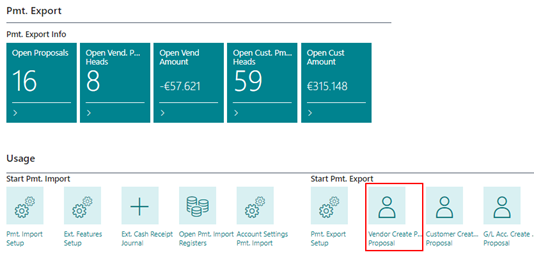
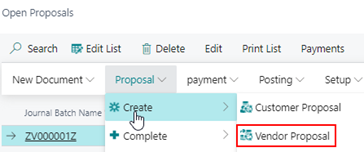
Open proposals
Payment proposal templates
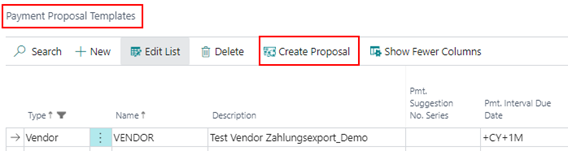
In all cases, the Report Request Page opens automatically with the relevant setup options.
Filter tab (ledger entries)
Use this tab to define which ledger entries are included. Additional filter criteria can be specified as needed.
To configure the options
The Options tab can be collapsed (Show Less) or expanded (Show More) to display all fields.
The available options depend on the account type.
Common options (all account types)
Advanced options (customers and vendors only)
These options are available for customer and vendor payment proposals:
To create the proposal
- Choose and configure filters and options.
- Select OK.
A new payment proposal is created based on your setup.
The result
- The proposal number is assigned based on the number series in Pmt. Export Setup.
- You can edit the proposal in the payment proposal list or via the Role Center.
During creation, the system checks whether entries exist that are due for payment:
- Customer: checks receivables
- Vendor: checks payables
- Employee: checks employee balances
If post-processing is executed, a dialog is displayed. Wait until the process is completed.