Reviewing payment application proposals
Payment application proposals are system-suggested matches between bank statement lines and open ledger entries. This article describes how you can access, review, and automatically apply them on the Payment Application Review page..
To access payment application proposals
You can open the Payment Application Review page from three locations on the Bank Account Reconciliation and Payment Reconciliation Journal pages.
To access the Payment Application Review page by clicking Home > Application Proposals:
- Search (
 ) for and select Bank Account Reconciliations or Payment Reconciliation Journal.
 - Select the bank statement line you want to review.
- On the action bar, click Home > Application Proposals.
- The Payment Application Review page opens and shows all proposals for the selected line. For detailed information about the sections and fields on this page, see The Payment Application Review page.
To access the Payment Application Review page by clicking the Status field:
- Search () for and select Bank Account Reconciliation or Payment Reconciliation Journal.
- Navigate to the Status field on the line you want to review and click the Status. For example, click Manual.
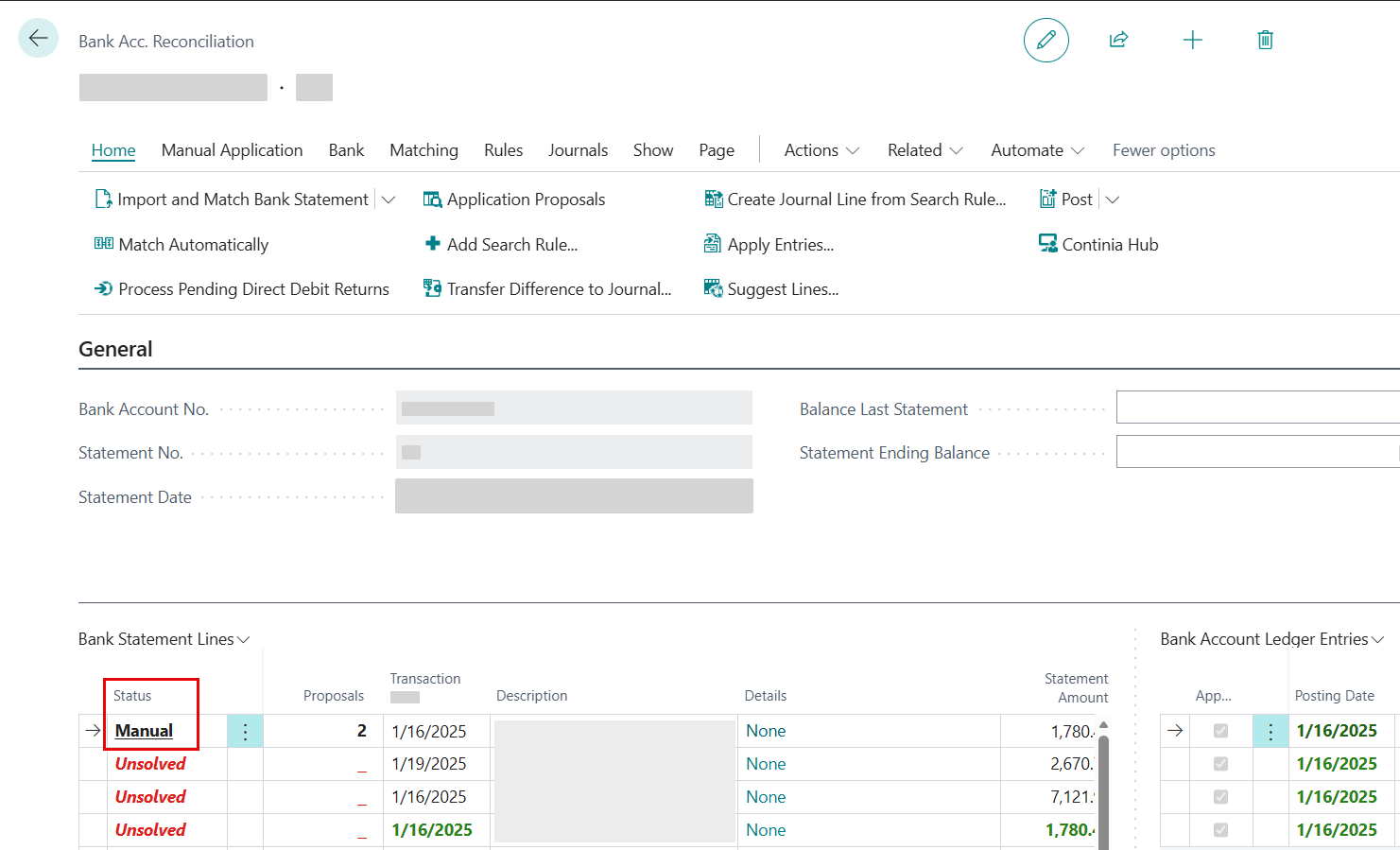 3. The Payment Application Review page opens and shows all proposals for the selected line. For detailed information about the sections and fields on this page, see The Payment Application Review page.
To access the Payment Application Review page by drilling down on a bank statement line:
- Open Bank Account Reconciliation or Payment Reconciliation Journal.
- Navigate to the Proposals field on the line you want to review. This field shows the count of proposals.
- Select the Proposals field value to drill down.
- The Payment Application Review page opens and shows all proposals for the selected line. For detailed information about the sections and fields on this page, see The Payment Application Review page.
To review payment application proposals
Each proposal includes a Found By field that shows which matching strategy identified the match. This helps you understand why the system suggested this match and evaluate the match quality.
The Found By indicator helps you evaluate the quality of the match:
| Indicator | Confidence | Notes |
|---|---|---|
| End To End ID | High (usually reliable) | ISO 20022 identifiers are typically unique and very reliable. |
| Payment Information ID | High (usually reliable) | ISO 20022 identifiers are typically unique and very reliable. |
| Batch ID | High (usually reliable) | ISO 20022 identifiers are typically unique and very reliable. |
| Document No. | High (usually reliable) | Direct document number matches are typically accurate. |
| External Document No. | High (usually reliable) | Reliable when vendors or customers use consistent reference numbers. |
| Payment Reference Rule | High (usually reliable) | Reliable when your rule configuration is correct. |
| Posting Date and Amount | Medium (review carefully) | Multiple entries can have the same amount and date. |
| Direct Debit Collection/Return | Specialized (context-dependent) | Only relevant for direct debit scenarios. |
| Account Balance | Specialized (context-dependent) | Useful when a customer has paid the full outstanding balance. |
Important
When multiple proposals exist, the system does not automatically select one. You must review the options and choose the correct match.
Automatic application of proposals
The system can automatically apply proposals when the match is clear and no manual review is needed. A proposal is applied automatically only when all of the following conditions are met:
- The amount matches the ledger entry amount within the allowed tolerance.
- The ledger entry is not already applied in another journal or reconciliation.
- The difference (if any) falls within one of the configured tolerances, such as reconciliation tolerance, payment tolerance, or payment discount tolerance. Tolerances are defined on the Banking Import Setup and General Ledger Setup pages.
Note
Automatic application of payment application proposals cannot be disabled. However, you can always unapply an auto-applied proposal if needed.
Related information
Introducing payment application proposals
The Payment Application Proposal page
Applying payment proposals
Payment application proposals FAQ