Continia Banking Setup
Continia Banking includes standard configurations for most payment processes. The core setup is handled through the mandatory assisted setup guides, which provide default configurations that you can later adjust to fit your company’s specific needs.
The following diagram illustrates the recommended setup workflow, from initial configuration to automating recurring tasks.
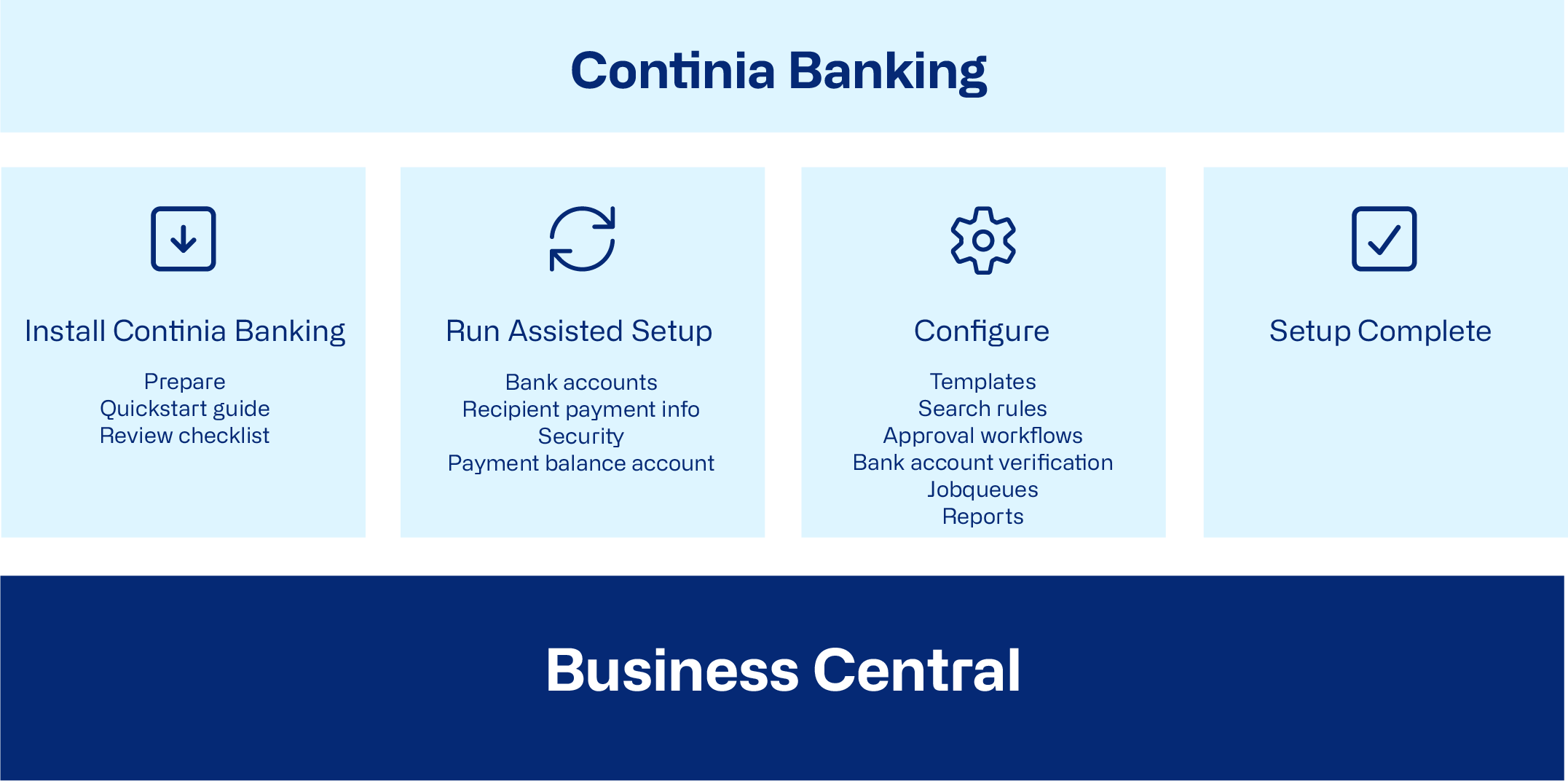
To prepare and install
Before you begin, review the Checklist for setting up Continia Banking.
Install Continia Banking from Microsoft Marketplace. For more information, see Customizing Business Central online using apps.
For a step-by-step guide of the basic setup, refer to the Quickstart guide to setting up Continia Banking.
To run the assisted setups
Use the Assisted setup guides to configure Continia Banking efficiently. These guides apply default settings for most payment functions, ensuring the solution is ready to use with minimal manual input.
To configure (optional)
In addition to the assisted setup guides, Continia Banking provides manual setup pages that allow you to configure the solution according to your specific requirements. Manual setups are optional, as most configurations are applied by default through the assisted setups, ensuring the system is ready to use.
You can also set up job queues to automate recurring tasks and set up payment approval workflows.
Related information
Setting up bank accounts
Setting up recipient payment information
Setting up remittance information
Setting up search rules
Managing exchange rate adjustments