Managing exchange rate adjustments
When processing payments to vendors in a foreign currency, the exchange rate in the file exported from Microsoft Business Central may not match the rate applied by your bank. This discrepancy can affect the final payment amount.
Continia Banking relies on the exchange rates configured in Business Central. To ensure accuracy and minimize adjustments, follow the steps below to set up and manage exchange rates effectively.
For detailed information about managing exchange rates, see Update currency exchange rates (Microsoft article)
To enable exchange rate adjustments:
- Search (
 ) for and select Currency Exchange Rate Services.
 - Click New. For further details about the Microsoft procedure, see Set up a currency exchange rate service (Microsoft article).
Bemærk
Business Central automatically sets up a job queue entry to import exchange rates from the configured service.
Examples:
Service | Example setup |
|---|---|
| ECB - European Central Bank https://www.ecb.europa.eu/stats/eurofxref/eurofxref-daily.xml | 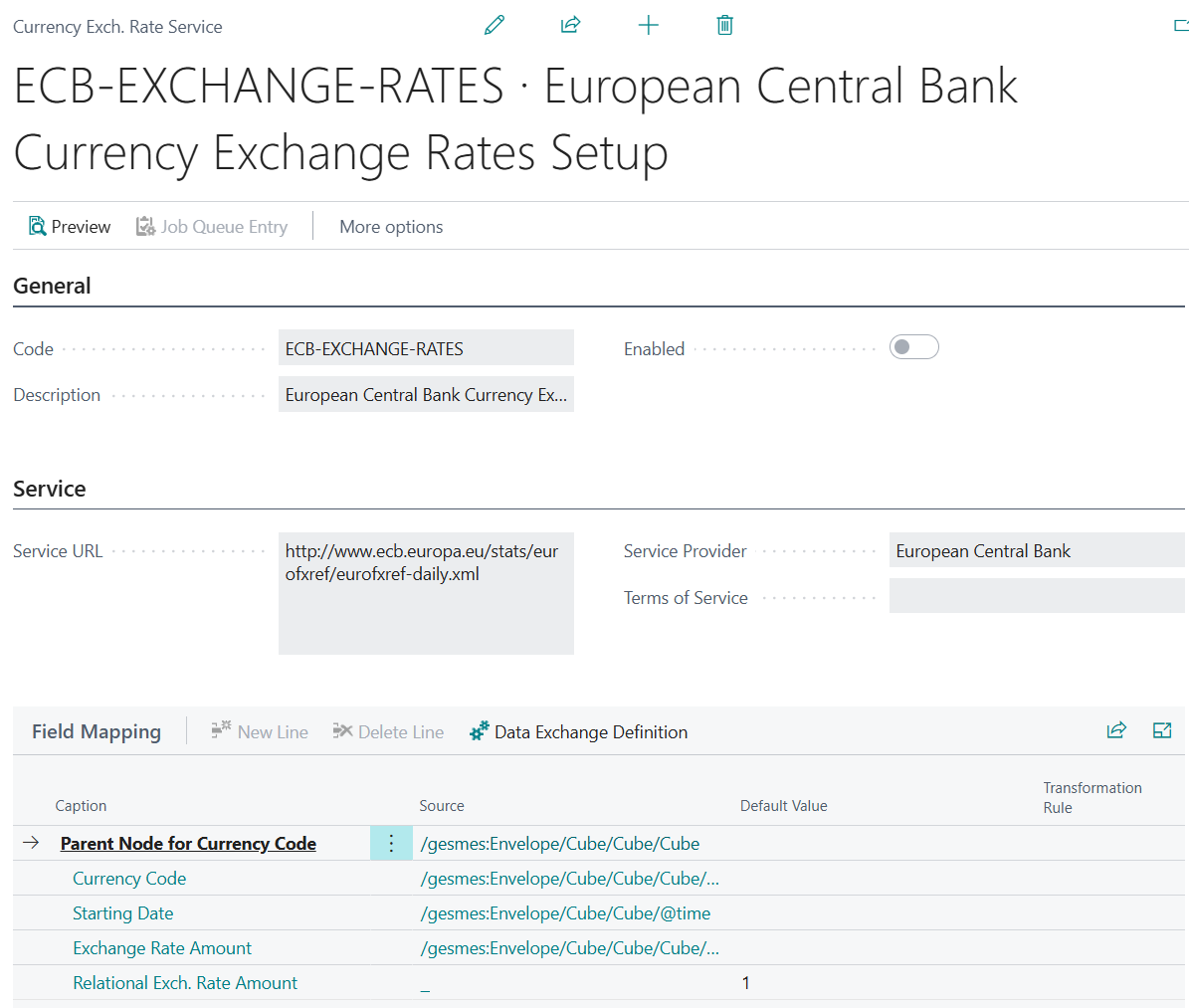 |
| Nationalbanken – Denmark https://www.nationalbanken.dk/api/currencyratesxml?lang=da | 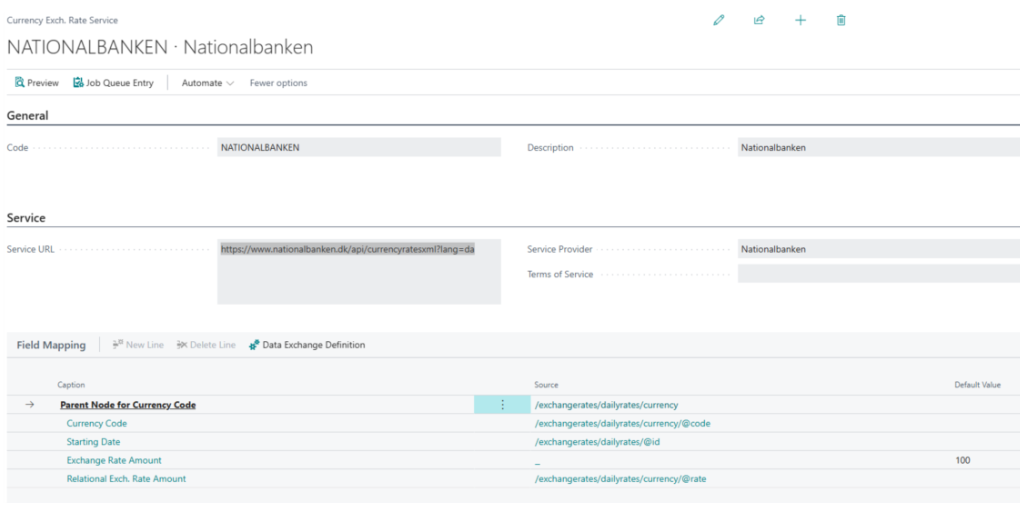 |